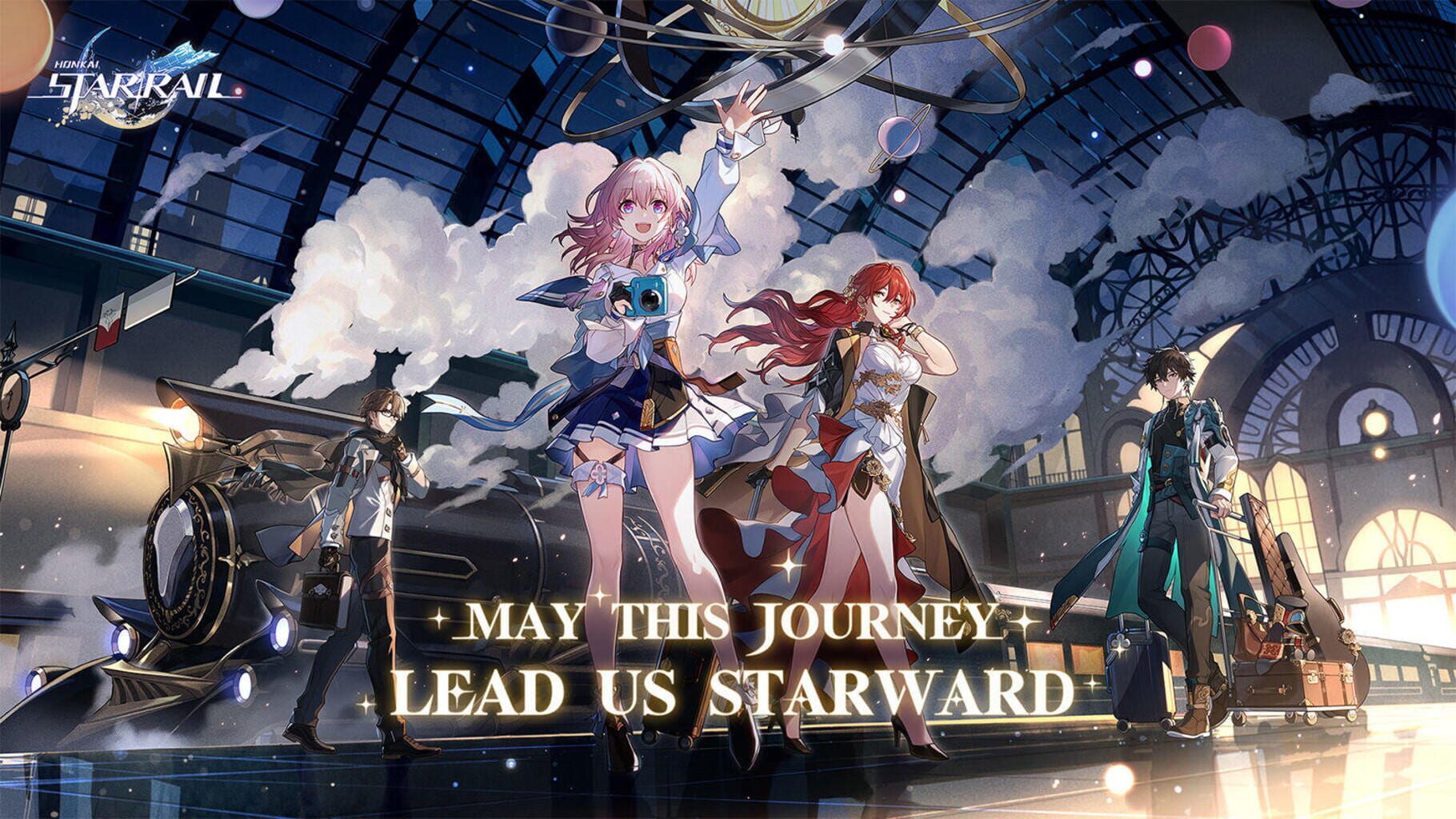

Honkai: Star Rail is an Adventure, Role-playing (RPG) and Turn-based strategy (TBS) game released Apr 26, 2023 for PC, PlayStation, iOS and Android.
Where to play: Honkai: Star Rail is available on PlayStation Store, Epic Games Store, App Store and Google Play. Use the store links above to grab it on your platform of choice.
Grab it here
Official store pagesThe lore
Honkai: Star Rail is an all-new strategy-RPG title in the Honkai series that takes players on a cosmic adventure across the stars. Hop aboard the Astral Express and experience the galaxy's infinite wonders on this journey filled with adventure and thrill.
The main story of Honkai: Star Rail follows the Trailblazer, an artificially created creature in whose bodies the Stellaron hunters have sealed a cosmic phenomenon called Stellaron (also known as “cancer of all worlds”). After the revival, the main character of the crew of the Astral Express is followed. Together, the crew travels from planet to planet as part of so-called trail blaze missions to continue the legacy of the Aeon (God) Akivili, pacify enemy factions and seal the destructive Stellarone.
The feed
Be the first to postBug & feature board
91 issues loggedOccurred under specific circumstances when the Trailblazer arranged souvenirs in the Collection Showcase.
Fixes certain issues that occurred under specific circumstances when the Trailblazer arranged souvenirs in the Collection Showcase.
, under specific circumstances during combat against the enemy "Paramount Bliss Inverted: Illwish Archlotus", an ally character would experience action aberrations after being converted into a "Happiness Puppet".
Fixes an issue where, under specific circumstances during combat against the enemy "Paramount Bliss Inverted: Illwish Archlotus", an ally character would experience action aberrations after being converted into a "Happiness Puppet".
Contacts for certain messages displayed abnormally during the Trailblaze Mission "Planarcadia" - "So Laughed the Masses".
Fixes an issue where contacts for certain messages displayed abnormally during the Trailblaze Mission "Planarcadia" - "So Laughed the Masses".
In Currency Wars where the ability icon for the Talent of the character Silver Wolf LV.999 (Elation: Imaginary) was displayed incorrectly.
Fixes an issue in Currency Wars where the ability icon for the Talent of the character Silver Wolf LV.999 (Elation: Imaginary) was displayed incorrectly.
In Currency Wars where, under certain circumstances, the current "Clout" tally for the character Sparxie (Elation: Fire)'s Elation Skill was displayed incorrectly. This fix does not affect the actual effects.
Fixes an issue in Currency Wars where, under certain circumstances, the current "Clout" tally for the character Sparxie (Elation: Fire)'s Elation Skill was displayed incorrectly. This fix does not affect the actual effects.
In Currency Wars where, under specific circumstances, the Talent effect of the character Cyrene (Remembrance: Ice) would take effect abnormally across multiple waves.
Fixes an issue in Currency Wars where, under specific circumstances, the Talent effect of the character Cyrene (Remembrance: Ice) would take effect abnormally across multiple waves.
In Currency Wars - Overclock Gambit where the Unlock Criteria text for the Expert Advisor character Silver Wolf (Nihility: Quantum) was incorrect under certain circumstances.
Fixes an issue in Currency Wars - Overclock Gambit where the Unlock Criteria text for the Expert Advisor character Silver Wolf (Nihility: Quantum) was incorrect under certain circumstances.
In Currency Wars where certain interfaces displayed abnormally during combat under specific circumstances when certain characters had the "Elation Emblem" equipped.
Fixes an issue in Currency Wars where certain interfaces displayed abnormally during combat under specific circumstances when certain characters had the "Elation Emblem" equipped.
In Currency Wars where the Elation Skill "Euphoric Maelstrom" abnormally consumed Skill Points under specific circumstances when certain characters had the "Elation Emblem" equipped.
Fixes an issue in Currency Wars where the Elation Skill "Euphoric Maelstrom" abnormally consumed Skill Points under specific circumstances when certain characters had the "Elation Emblem" equipped.
In Currency Wars where certain Investment Strategies that alter a character's star rating took effect abnormally on the star rating bonus provided by the "Galaxy Ranger" faction Bond.
Fixes an issue in Currency Wars where certain Investment Strategies that alter a character's star rating took effect abnormally on the star rating bonus provided by the "Galaxy Ranger" faction Bond.
In Currency Wars where, under specific circumstances, the Bond buff provided by the "Galaxy Ranger faction Bond was abnormally taken into account for the star rating when the character Ashveil (The Hunt: Lightning) was positioned off-field.
Fixes an issue in Currency Wars where, under specific circumstances, the Bond buff provided by the "Galaxy Ranger faction Bond was abnormally taken into account for the star rating when the character Ashveil (The Hunt: Lightning) was positioned off-field.
In Currency Wars where, after activating the Elation faction Bond, the "Aha" equipment caused the "Empty Stock" and "Empty Stock+" Investment Strategies to take effect abnormally.
Fixes an issue in Currency Wars where, after activating the Elation faction Bond, the "Aha" equipment caused the "Empty Stock" and "Empty Stock+" Investment Strategies to take effect abnormally.
In Currency Wars where, after activating the Elation faction Bond, certain stats for "Aha" were displayed incorrectly under specific circumstances.
Fixes an issue in Currency Wars where, after activating the Elation faction Bond, certain stats for "Aha" were displayed incorrectly under specific circumstances.
In Currency Wars where, after activating the independent Bond "Beloved One," Cyrene's poems would experience an abnormal refresh under specific circumstances.
Fixes an issue in Currency Wars where, after activating the independent Bond "Beloved One," Cyrene's poems would experience an abnormal refresh under specific circumstances.
The on-field character tally during the preparation phase in Currency Wars displays abnormally under specific circumstances.
Fixes an issue where the on-field character tally during the preparation phase in Currency Wars displays abnormally under specific circumstances.
In Currency Wars where, under specific circumstances, some of the Bond effect text for "Galactic Voyager" in the "Bond index" was incorrect.
Fixes an issue in Currency Wars where, under specific circumstances, some of the Bond effect text for "Galactic Voyager" in the "Bond index" was incorrect.
In Currency Wars where some of the combat performance of the enemy Black Tide Council was abnormal under specific circumstances.
Fixes an issue in Currency Wars where some of the combat performance of the enemy Black Tide Council was abnormal under specific circumstances.
In Divergent Universe: Arcadian Chronicles where the Occurrences "Enkindle of Month of Gate" and "Sealing Wax Synthesis" triggered abnormally.
Fixes an issue in Divergent Universe: Arcadian Chronicles where the Occurrences "Enkindle of Month of Gate" and "Sealing Wax Synthesis" triggered abnormally.
In Divergent Universe: Arcadian Chronicles where the text for certain options in specific Occurrences had a chance to display abnormally.
Fixes an issue in Divergent Universe: Arcadian Chronicles where the text for certain options in specific Occurrences had a chance to display abnormally.
In Pure Fiction where, under specific circumstances during wave transitions, "Aha Instant" had a chance to take abnormal action.
Fixes an issue in Pure Fiction where, under specific circumstances during wave transitions, "Aha Instant" had a chance to take abnormal action.
In Cosmicon, Roll On! where, under specific circumstances, the limit on the number of dice that can be Selected when attacking had a chance of being abnormal.
Fixes an issue in Cosmicon, Roll On! where, under specific circumstances, the limit on the number of dice that can be Selected when attacking had a chance of being abnormal.
Certain parts of the character model displayed abnormally after the Trailblazer performed specific actions while on the Astral Express.
Fixes an issue where certain parts of the character model displayed abnormally after the Trailblazer performed specific actions while on the Astral Express.
Certain abnormal character, NPC, and enemy models, visual effects, and movement effects.
Fixes issues for certain abnormal character, NPC, and enemy models, visual effects, and movement effects.
The background music was abnormal in certain passages when using the "Story Recap" feature.
Fixes an issue where the background music was abnormal in certain passages when using the "Story Recap" feature.
Some music and sound effects perform abnormally under specific conditions.
Fixes an issue where some music and sound effects perform abnormally under specific conditions.
Some combat voice lines for the character Evanescia (Elation: Physical) were missing.
Fixes an issue where some combat voice lines for the character Evanescia (Elation: Physical) were missing.
The entry names for certain combat voice lines for the character Silver Wolf LV.999 (Elation: Imaginary) were incorrect.
Fixes an issue where the entry names for certain combat voice lines for the character Silver Wolf LV.999 (Elation: Imaginary) were incorrect.
The Phonograph in the Parlor Car would abnormally play the default background music under specific circumstances.
Fixes an issue where the Phonograph in the Parlor Car would abnormally play the default background music under specific circumstances.
Some dialogue voice lines were incorrect in the mission flow of the Trailblaze Mission "Planarcadia — So Laughed the Masses" when the voice language is set to English.
Fixes an issue where some dialogue voice lines were incorrect in the mission flow of the Trailblaze Mission "Planarcadia — So Laughed the Masses" when the voice language is set to English.
Some dialogue voice lines were incorrect in the mission flow of the Trailblaze Mission "Amphoreus — Before Their Deaths" when the voice language is set to English.
Fixes an issue where some dialogue voice lines were incorrect in the mission flow of the Trailblaze Mission "Amphoreus — Before Their Deaths" when the voice language is set to English.
Some dialogue voice lines were incorrect in the mission flow of the Trailblaze Mission "Planarcadia — Welcome to Arcadia," "Unraveled for Daybreak," and "So Laughed the Masses" when the voice language is set to Japanese.
Fixes an issue where some dialogue voice lines were incorrect in the mission flow of the Trailblaze Mission "Planarcadia — Welcome to Arcadia," "Unraveled for Daybreak," and "So Laughed the Masses" when the voice language is set to Japanese.
Certain interaction voice lines for the character Sparxie (Elation: Fire) failed to play normally when the voice language is set to Japanese.
Fixes an issue where certain interaction voice lines for the character Sparxie (Elation: Fire) failed to play normally when the voice language is set to Japanese.
Some voice lines for the "Interastral Peace Broadcast" in the Parlor Car map were incorrect when the voice language is set to Japanese.
Fixes an issue where some voice lines for the "Interastral Peace Broadcast" in the Parlor Car map were incorrect when the voice language is set to Japanese.
The volume of some dialogue voice lines was too low in the mission flow of the Trailblaze Mission "Planarcadia — Welcome to Arcadia" and "Unraveled for Daybreak" when the voice language is set to Korean.
Fixes an issue where the volume of some dialogue voice lines was too low in the mission flow of the Trailblaze Mission "Planarcadia — Welcome to Arcadia" and "Unraveled for Daybreak" when the voice language is set to Korean.
Some voice lines for the NPC Pearl were missing in the Trailblaze Mission "Planarcadia — Unraveled for Daybreak" when the voice language is set to Korean.
Fixes an issue where some voice lines for the NPC Pearl were missing in the Trailblaze Mission "Planarcadia — Unraveled for Daybreak" when the voice language is set to Korean.
Some dialogue voice lines were incorrect in the story recap of the Trailblaze Mission "Planarcadia — Welcome to Arcadia" when the voice language is set to Korean.
Fixes an issue where some dialogue voice lines were incorrect in the story recap of the Trailblaze Mission "Planarcadia — Welcome to Arcadia" when the voice language is set to Korean.
Certain dialogue voice lines were incorrect in the mission flow of the Finality Mission "Penacony — Memories are the Prelude to Dreams" when the voice language is set to Korean.
Fixes an issue where certain dialogue voice lines were incorrect in the mission flow of the Finality Mission "Penacony — Memories are the Prelude to Dreams" when the voice language is set to Korean.
Certain in-game UI elements displayed abnormally.
Fixes an issue where certain in-game UI elements displayed abnormally.
Some interactions were abnormal under specific circumstances when playing with a controller.
Fixes an issue where some interactions were abnormal under specific circumstances when playing with a controller.
, under specific circumstances, certain values on some interfaces were displayed abnormally. This fix does not affect any actual in-game effects.
Fixes an issue where, under specific circumstances, certain values on some interfaces were displayed abnormally. This fix does not affect any actual in-game effects.
The Status Effect icons from using Consumables were displayed abnormally after performing specific operations.
Fixes an issue where the Status Effect icons from using Consumables were displayed abnormally after performing specific operations.
, under certain circumstances, parts of the model for the pet "Furbobo Press Corps" displayed abnormally after using the teleport function.
Fixes an issue where, under certain circumstances, parts of the model for the pet "Furbobo Press Corps" displayed abnormally after using the teleport function.
The Achievement "One on One" could not be completed under specific circumstances.
Fixes an issue where the Achievement "One on One" could not be completed under specific circumstances.
Some visual effects displayed abnormally when the character Silver Wolf LV.999 (Elation: Imaginary) uses her Enhanced Basic ATK under specific circumstances.
Fixes an issue where some visual effects displayed abnormally when the character Silver Wolf LV.999 (Elation: Imaginary) uses her Enhanced Basic ATK under specific circumstances.
Some visual effects displayed abnormally during the character Silver Wolf LV.999 (Elation: Imaginary)'s idle animation 2 under certain circumstances.
Fixes an issue where some visual effects displayed abnormally during the character Silver Wolf LV.999 (Elation: Imaginary)'s idle animation 2 under certain circumstances.
The "Top Loot Box" effect for the character Silver Wolf LV.999 (Elation: Imaginary) triggered aberrantly under specific circumstances.
Fixes an issue where the "Top Loot Box" effect for the character Silver Wolf LV.999 (Elation: Imaginary) triggered aberrantly under specific circumstances.
The character model for Evanescia (Elation: Physical) displayed aberrantly after performing specific operations while using her Technique.
Fixes an issue where the character model for Evanescia (Elation: Physical) displayed aberrantly after performing specific operations while using her Technique.
, under specific circumstances, certain Trace effects for the character Trailblazer (Elation: Lightning) behaved aberrantly.
Fixes an issue where, under specific circumstances, certain Trace effects for the character Trailblazer (Elation: Lightning) behaved aberrantly.
, under specific circumstances, ally character Avatars were not correctly hidden when the character Sparxie (Elation: Fire) uses her Skill.
Fixes an issue where, under specific circumstances, ally character Avatars were not correctly hidden when the character Sparxie (Elation: Fire) uses her Skill.
, under specific circumstances, the debuff applied to the enemy by the character Ashveil (The Hunt: Lightning) was aberrant when "Bait" was present on the field.
Fixes an issue where, under specific circumstances, the debuff applied to the enemy by the character Ashveil (The Hunt: Lightning) was aberrant when "Bait" was present on the field.
Some effects of the character Cyrene (Remembrance: Ice)'s Idle Animation 2 would abnormally remain in the environment after performing specific actions.
Fixes an issue where some effects of the character Cyrene (Remembrance: Ice)'s Idle Animation 2 would abnormally remain in the environment after performing specific actions.
The Toughness Reduction effects applied to adjacent units of the designated single target display abnormally when the character Firefly (Destruction: Fire) uses her Enhanced Skill while in an enhanced state under certain circumstances. This fix does not affect actual effects.
Fixes the issue where the Toughness Reduction effects applied to adjacent units of the designated single target display abnormally when the character Firefly (Destruction: Fire) uses her Enhanced Skill while in an enhanced state under certain circumstances. This fix does not affect actual effects.
The effect of the enemy "SD Civilian Mechatron" ability "Windmill Defacer" was abnormal under specific circumstances.
Fixes an issue where the effect of the enemy "SD Civilian Mechatron" ability "Windmill Defacer" was abnormal under specific circumstances.
, under specific circumstances, ally character models have a chance to display aberrantly when the enemy "Rocking Rebel" uses the abilities "Sweep the Left!" and "Sweep the Right!".
Fixes an issue where, under specific circumstances, ally character models have a chance to display aberrantly when the enemy "Rocking Rebel" uses the abilities "Sweep the Left!" and "Sweep the Right!".
, under specific circumstances, the HP of the "Shadow Jackhyena" summoned by the enemy "Abundance Sprite: Wooden Lupus" when using the ability "Rallying Howl" was abnormal.
Fixes an issue where, under specific circumstances, the HP of the "Shadow Jackhyena" summoned by the enemy "Abundance Sprite: Wooden Lupus" when using the ability "Rallying Howl" was abnormal.
Ally character models had a chance to display abnormally under certain circumstances when leaving the current combat to restart the challenge.
Fixes an issue where ally character models had a chance to display abnormally under certain circumstances when leaving the current combat to restart the challenge.
The Elation Skill was used abnormally when ally characters were under certain Crowd Control debuffs in specific circumstances.
Fixes an issue where the Elation Skill was used abnormally when ally characters were under certain Crowd Control debuffs in specific circumstances.
The summon "Souldragon" would act abnormally under certain circumstances during combat against the enemy "@SparxiConOfficial."
Fixes an issue where the summon "Souldragon" would act abnormally under certain circumstances during combat against the enemy "@SparxiConOfficial."
In Currency Wars where some effects of the Light Cone ability function abnormally when a character is simultaneously equipped with the Light Cone Long May Rainbows Adorn the Sky (Remembrance) and the equipment "Elation Emblem." After the fix, the actual effects of the Light Cone ability are consist…
Fixes an issue in Currency Wars where some effects of the Light Cone ability function abnormally when a character is simultaneously equipped with the Light Cone Long May Rainbows Adorn the Sky (Remembrance) and the equipment "Elation Emblem." After the fix, the actual effects of the Light Cone ability are consistent with the ability description.
In Currency Wars where the effect of specific temporary equipment obtained after activating the independent Bond "Magician" was abnormal.
Fixes an issue in Currency Wars where the effect of specific temporary equipment obtained after activating the independent Bond "Magician" was abnormal.
The scene presentation was abnormal in certain cutscenes when using the "Story Recap" feature.
Fixes an issue where the scene presentation was abnormal in certain cutscenes when using the "Story Recap" feature.
, under certain circumstances when using the "Character Guide" feature, some Light Cones incorrectly displayed the "Cannot be obtained currently" prompt.
Fixes an issue where, under certain circumstances when using the "Character Guide" feature, some Light Cones incorrectly displayed the "Cannot be obtained currently" prompt.
, under specific circumstances, the Bonus Ability effects of certain ally characters were aberrant upon returning to Combat, and the buff display in the Real-Time Combat View was also aberrant.
Fixes an issue where, under specific circumstances, the Bonus Ability effects of certain ally characters were aberrant upon returning to Combat, and the buff display in the Real-Time Combat View was also aberrant.
Why didn't I receive the Return Mission reward after my friend consumed Trailblaze Power?
To complete the mission, your bound returning friend must consume Trailblaze Power while the Starlit Homecoming event is active. Please confirm with your friend that they used their Trailblaze Power during the event period. If the issue persists after confirmation, please contact Customer Support for assistance.
Why can't I find my submission in the event's voting section?
If you are unable to find your submission for the relevant web event that you have submitted an entry for, please follow the steps below. Troubleshooting Steps Please search for your work using the exact creator's name you entered on the submission form. Contact Us If you still cannot locate your submission, please contact Customer Support with the following information for assistance: Language Creator's Name Work ID (if available) Original Link to the Work Relevant screenshots or screen recordings Your Player Information (UID and Server) Event Link
Why does the cultivation guidance show an incorrect quantity of materials?
This discrepancy may occur if a specific filter is enabled. To view the total required materials, please uncheck the Only calculate Traces that are recommended to level up option.
Why is my Memory of Chaos record in the Trailblazer Profile incorrect?
The Memory of Chaos record in your Trailblazer Profile only updates after you achieve a 3-star completion for that stage.
Why can't I find the redeem code button on my iOS device?
The in-game code redemption feature is currently unavailable on iOS devices. To redeem codes, please use the official Honkai: Star Rail gift redemption website. First, ensure your game account is linked to a HoYoverse Account by following these steps: In the game, go to Settings > Account Settings > HoYoverse Account Center . Link an email or another login method, such as Google, Apple, Facebook, or Twitter. Visit the Honkai: Star Rail gift redemption page and log in with your linked account to redeem your codes.
Why do my graphics settings reset after restarting the game on PC?
This issue may occur if the game optimization feature is enabled for Honkai: Star Rail in NVIDIA GeForce Experience or the NVIDIA App . To resolve this, please open the NVIDIA application and click the Restore button for the game's settings before launching. This will allow your in-game graphics settings to apply correctly after a restart.
Why can't I interact with Pom-Pom to claim my Trailblaze Level rewards?
Trailblazers may check to see if their quest logs have any current quests that is currently occupying Pom-Pom or on the Astral Express. Sometimes there will be quests which will be occupying Pom-Pom or the Astral Express; and those quests will be required to be completed first before Pom-Pom will appear. If the Trailblazer has yet to complete the quest: Home Decor, they are advised to complete the relevant quest first before attempting to find Pom-Pom again. If after the above measures Pom-Pom is still not available, please kindly contact Customer Service with a video of the issue.
Unable to Receive Twitch Drop Rewards
Troubleshooting Steps Twitch Drop rewards are time-limited and cannot be claimed after an event has ended. Go to the event website and click the Link and activate Twitch Drops or Follow this Twitch Channel button to ensure your HoYoverse and Twitch accounts are correctly linked. Check your in-game mail for the rewards. Please allow up to 24 hours for delivery after claiming them on Twitch. Contact Us If the issue persists after 24 hours, please contact Customer Support with the following screenshots: The event page showing your progress. A screenshot of your Twitch account under Settings > Connections > Other Connections .
Why is text missing from my Warp's View Details and Records page?
Troubleshooting Steps Try switching between your Wi-Fi and mobile data connection. This step often resolves the issue. If the problem continues, please contact Customer Support with the following information: The language setting of your Warp page. A screenshot from the link below after adjusting it for your language. Link: https://webstatic.mihoyo.com/admin/mi18n/hkrpg_cn/m12211711281351/m12211711281351- [language_code] .json Important: Please replace [language_code] in the URL with the code for your game language from the list below. Language Codes: English: en-us French: fr-fr German: de-de Spanish: es-es Portuguese: pt-pt Russian: ru-ru Japanese: ja-jp Korean: ko-kr Thai: th-th Vietnamese: vi-vn Indonesian: id-id Traditional Chinese: zh-tw Simplified Chinese: zh-cn Turkish: tr-tr
Why is my Warp View Details or Records page blank?
Troubleshooting Steps Try switching your network connection, for example, from Wi-Fi to mobile data. If the problem persists, visit the following link and take a screenshot of the page: https://gs.hoyoverse.com/hkrpg/event/e20211215gacha-v2/index.html? Please contact Customer Support and provide the screenshot for further investigation.
Why is my invitation code invalid?
An invitation code may be shown as invalid for the following reasons: The code has reached its usage limit of three players. Please try a new code. The code was entered incorrectly. Please verify that the capitalization and number of digits are correct.
Resolving Common Honkai: Star Rail Error Codes
If you encounter an error code when starting or playing Honkai: Star Rail, please find the corresponding code below for Troubleshooting Steps. Error Code 2002-0-0? This error may occur for different reasons. Please follow the steps for your specific situation. Situation 1: For users with Intel 13th/14th Gen Core i7/i9 or equivalent overclocked CPUs Decompression errors on these systems can be resolved by manually underclocking your CPU. After underclocking, retry the update from the launcher’s game details page. Method 1: Disable Overclocking in BIOS. Disable all overclocking settings, including "AI" or "Auto" features, which are typically found in the Advanced or Overclocking menus. Method 2: Reduce Maximum Clock Rate. Lower the maximum clock rate via your BIOS settings or Intel XTU. Consider these adjustments: For i9-137900K: Reduce the maximum P-core multiplier from 55X to 53X. For i9-14900K: Reduce the maximum P-core multiplier from 60X to 54X. Lower the maximum turbo boost clock rate. Disable or reduce "Thermal Velocity Boost." For more details, refer to these announcements: Unreal: https://www.radgametools.com/oodleintel.htm Intel: https://community.intel.com/t5/Processors/July-2024-Update-on-Instability-Reports-on-Intel-Core-13th-and/m-p/1617113 Steam: https://steamcommunity.com/app/2479810/discussions/0/4355620303682187107/ Situation 2: For all other users Follow these steps to use our repair tool: Downloa…
Why are my recently obtained Relics missing?
If you cannot find a recently acquired Relic, it may have been used for enhancement. You can check the consumption records for 4-star and above Relics. Tap the phone icon in the top-left corner of the screen. Navigate to Bug Report > Account History > Relic History . You may also check Bug Report > Relic Salvage Retrieval as well, if your 5 Star Relic was mistakenly dismantled within the past 7 days. *Please note that relics used for enhancement, will not be eligible for Salvage Retrieval.
Why is my quest NPC missing or invisible?
If an NPC required for your quest is missing, invisible, or not spawning, please try the following troubleshooting steps to resolve the issue. Troubleshooting Steps Adjust your in-game graphics settings by switching between Low/Medium and High/Very High options. Navigate to Display Settings and switch between Normal Mode and Compatible Mode . Verify your game's file integrity. Log out completely and select the Update button on the login screen to run a file check and repair. Ensure a stable internet connection, clear the game's cache, and close unnecessary background applications. Restart your device and the game client. Teleport to a different map and then return to the NPC's location to re-trigger the area to load. Contact Us If the issue persists after trying all the steps, please provide our Customer Support with the following information for investigation: A video recording showing your character at the NPC's location on the map. Your device information: platform (e.g., PC, iOS, Android), operating system, and specifications. A screenshot or video of your mission name if the issue is related to a specific mission.
Why can't I retrieve my unclaimed weekly rewards from the Simulated or Divergent Universe after the weekly reset?
Situation 1: You did not claim your rewards before the weekly reset. Weekly rewards from the Simulated Universe or Divergent Universe are permanently lost if not claimed before the weekly reset. Due to system limitations, these rewards cannot be recovered or reissued. Please claim your points and rewards promptly to avoid this issue in the future. Situation 2: You claimed your rewards, but they are missing. If you claimed your rewards but they did not appear in your account, it may be a display or connection issue. Please try the following steps: Restart the game. From the login screen, use the file verification tool to repair game files. Ensure you are on a stable network connection. Check your Currency Record on PC/Mobile via the Smartphone menu > Bug Report > Account History.
Why did the Planar Fissure event disappear and stop giving double rewards?
The Planar Fissure event may disappear from your Travel Log for two intended reasons: 1. Reward Limit Reached: Special reward events have a maximum number of bonus claims. The event will stop giving double rewards once you reach this limit. 2. Event Period Ended: The event is removed from the interface once its scheduled duration is over. You can view the specific duration and remaining reward attempts for an event in the Event Notes via the Travel Log . To review your reward history for confirmation: Navigate to Menu > Bug Report > Self-Service > Select Account History > Relic History (4-star or above).
Why is Honkai: Star Rail crashing or freezing?
If your game is crashing or freezing, please try the following troubleshooting steps. Troubleshooting Steps On the login screen, click the Update button, then select Re-verify the integrity of the downloaded resources and Confirm . Relaunch the game after the verification completes. Update your graphics card (GPU) drivers to the latest version. During installation, choose the clean install option or uninstall the old driver completely before installing the new one. Please check that your current device meets our minimum specified requirements. Contact Us If the issue persists, please contact Customer Support with the following information: UID Device Model Device Specifications Screenshots or a video recording of the entire issue. Log and dump files, along with the exact time the crash occurred. File Paths: Player.log & Player-prev.log: %USERPROFILE%\AppData\LocalLow\Cognosphere\Star Rail .dmp file: %USERPROFILE%\AppData\Local\Temp\Cognosphere\Star Rail output_log.txt: C:\Users\XXX\AppData\LocalLow\Cognosphere\Star Rail\output_log.txt To send the files, create a folder named 'crash' on a cloud service like Google Drive, upload the files, and provide us with the public share link. Important: Please retrieve the output_log.txt file while the issue is occurring, as the log resets after restarting the game.
Why can't I share or save in-game photos on my mobile device?
To save or share in-game photos, you must grant Honkai: Star Rail access to your device's storage. To enable the required permissions: Navigate to your device's Settings . Locate the menu for App Permissions . Enable the storage or read/write permissions for Honkai: Star Rail.
Why is my game download speed slow or failing in HoYoplay?
If you encounter slow download speeds or download failure errors (e.g. 600x), please try the following: Switch your network environment and restart the download. If you are using a mechanical hard drive, we recommend installing the game on a solid-state drive (SSD) for better performance.
Why am I stuck on the train loading screen?
If you are unable to enter the game because you are stuck on the train loading screen, please try the following troubleshooting steps. Troubleshooting Steps Restart your device and router. Check that your internet connection is stable. Try switching networks, such as from Wi-Fi to mobile data. Disable any VPN, proxy, or third-party software that may interfere with your connection. Ensure your DNS settings are set to automatic. Delete Registry Files by opening the Registry Editor (Windows key+R then click regedit) > Open HKEY_Current_User > SOFTWARE > Delete the following 2 folders: Computer\HKEY_CURRENT_USER\Software\miHoYoSDK and Computer\HKEY_CURRENT_USER\Software\Cognosphere\Star Rail > Log into the game again. Uninstall the game and then reinstall it. Contact Us If the issue persists, please contact our live support team with the following information for further investigation: In-game UID Platform (PC, iOS, Android, etc) Device information (CPU, GPU, RAM, OS Version) Region/Country Internet Service Provider Network Connection (WLAN/Mobile Data/Ethernet) Screenshot of autopatchos after all the information has loaded (https://autopatchos.starrails.com/test/StarRail_Network_Diagnostic_Tool.html) A screenshot or video recording of the issue We would suggest uploading all the requested files and information to a website such as Google Drive, setting the folder access to Public and providing us the link.
Why can't I adjust the Rendering Quality settings?
To adjust the Rendering Quality settings, please set NVIDIA DLSS to Off in your graphics options.
Why does my Nintendo Switch controller not work correctly on PC?
Nintendo Switch controllers are not officially supported on PC. You may experience issues when using one with the game. We are actively considering community feedback to improve device compatibility in future updates. Please note that the game only supports XBOX , PS4 and above controllers on PC and iOS.
Why did the mail containing my reward disappear from my inbox?
All in-game mail has an expiration date. Once a mail expires, it is automatically deleted by the system. To prevent any losses, please claim items and rewards from your inbox as soon as possible.
Why was my name/profile reset?
We are afraid that you have violated the relevant rules. Please refer to your in-game mail for further details. If you disagree with this action, please contact our Customer Support with the following information: UID Issue Description A screenshot of the issue, if available
Why did my unclaimed mail disappear?
In-game mail has an expiration date and will be automatically deleted once it expires. Please claim any attachments from your mail promptly to prevent unnecessary losses.
Why is the NPC for my quest unavailable?
An NPC may appear as occupied if they are currently involved in another one of your active quests. To make the NPC available, please complete any other quests that also feature this character.
Why didn't I get the character I wanted from the warp? Is my account bugged?
Characters obtained from the Warp System are based on the rates and probabilities listed on the Character Banner. For detailed information on rules and rates, please refer to the View Details tab on the Warp banner. Important: The rates are equal for all accounts. We cannot influence or change the rates for any game account.
Why didn't I receive my Achievement Reward?
The in-battle notification indicates you have met an achievement's conditions for that specific fight. To officially register the achievement to your account, you must meet the criteria of the achievement. If you have not received your reward after meeting an achievement's conditions, please check the following: Ensure the method you used to unlock the achievement was correct. Confirm that all prerequisites and conditions have been met. For more detailed strategies, we recommend discussing with other Trailblazers or consulting guides in the Honkai: Star Rail community.
FAQ
Quick answers about Honkai: Star RailWhat platforms is Honkai: Star Rail on?
Honkai: Star Rail is available on PC, PlayStation, iOS and Android.
When was Honkai: Star Rail released?
Honkai: Star Rail was released on Apr 26, 2023.
Where can I play Honkai: Star Rail?
You can get Honkai: Star Rail on PlayStation Store, Epic Games Store, App Store and Google Play. The store links on this page point to the official pages.
How is Honkai: Star Rail rated?
Honkai: Star Rail holds a player score of 83/100 (8.3/10) from 192 ratings.