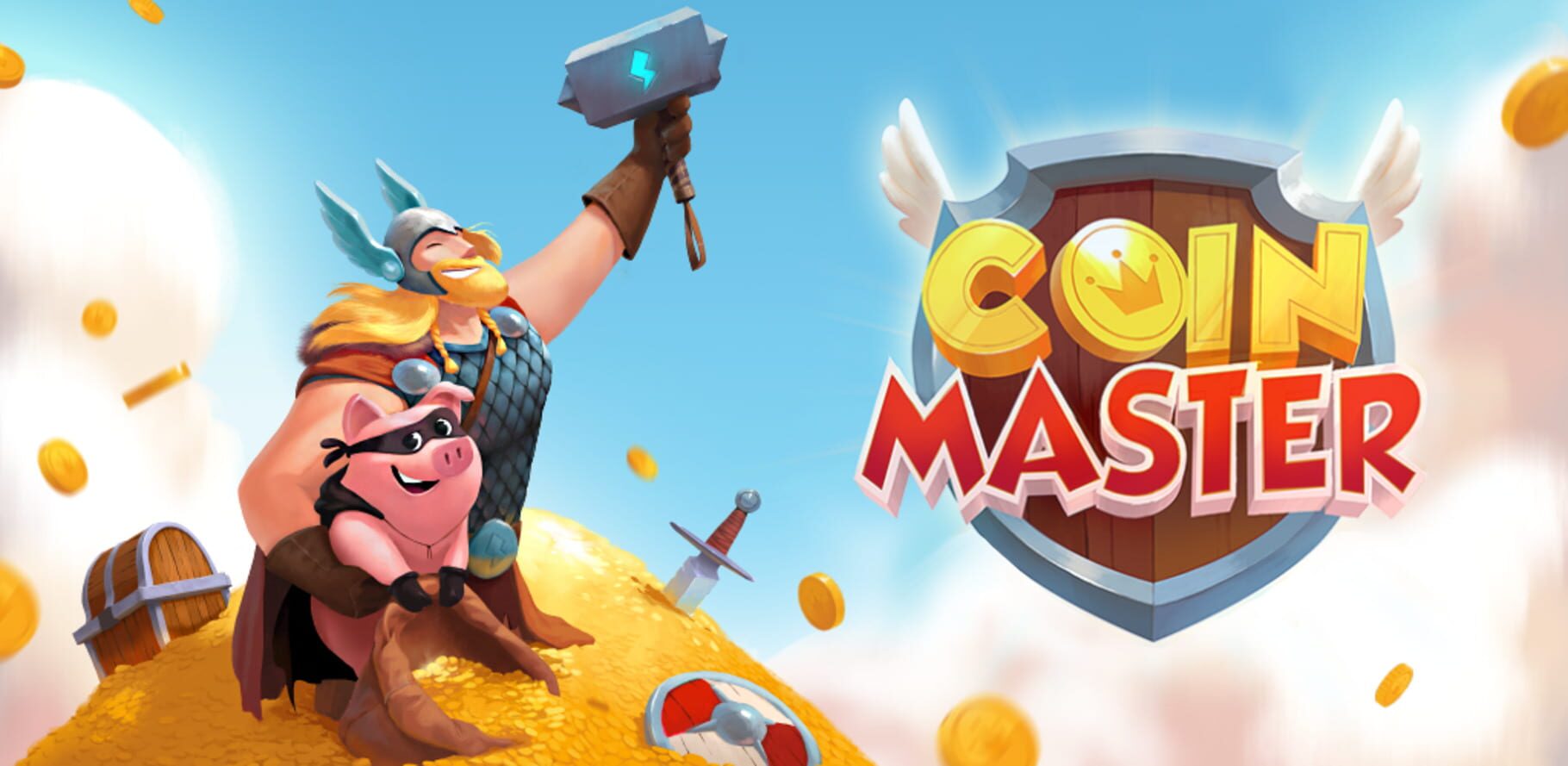
Coin Master is an Adventure and Arcade game released Dec 11, 2010 for iOS and Android.
Where to play: Coin Master is available on App Store and Google Play. Use the store links above to grab it on your platform of choice.
Grab it here
Official store pagesThe lore
Join your Facebook friends and millions of players around the world in attacks, spins and raids to build your viking village to the top! Do you have what it takes to be the next Coin Master? Can you travel through time and magical lands to battle it out to be the best Pirate, Hippie, King, Warrior or VIKING of them of all!
The feed
Be the first to postBug & feature board
12 issues loggedWhy did my purchase fail?
There are a few common reasons why a purchase might not go through or show up right away. Let’s walk through the most likely ones together. 💡 Purchase Delays ⭐️ Keep in mind that your purchase might take a few extra minutes to process. Please wait a few minutes and try closing and reopening the app to sync your purchase. 🕓 Failed or Canceled Purchases If your purchase shows as failed or canceled, this generally means that your payment method hasn’t been charged. You can safely try again after checking your connection and payment details. Missing Purchased Items If your purchase went through but you're not sure where your items are, take a look at this article: Where are my purchased items? Internet Connection A brief interruption in your Wi-Fi or mobile data could be the culprit. Trying a different network or restarting your connection might just do it! 🛜 Payment Details It's always a good idea to double-check your payment details. Maybe there's a slight update needed. We suggest trying a different card and verifying your account information (like your billing address) to ensure everything is current. Payment Platform External platforms like Apple or Google Play handle your purchases and securely store your payment details. If your purchases are still not going through, reaching out to them directly is the best way to get specific information about the failed charge. Still not working? If you’ve tried these steps and your purchase still isn’t working, please contact us wi…
Where are my purchased items?
Purchased some awesome in-game items but can't seem to find them? No worries, we're here to help! 🌟 Usually, your new items should appear in your game right after a successful purchase. If they don't, follow the steps below. 1️⃣ First Steps Your purchase might take a few extra minutes to process. Please wait a few minutes and try closing and reopening the app to sync your purchase. Check your in-game inventory: Take a peek at your account - your new goodies might already be waiting there! Sometimes, especially with all the excitement or when multiple items are purchased at once, it's easy to miss them flying straight into your inventory. Bought Spins? Your Spin count should have increased. Bought Coins? Your Coin balance should be higher. Got Cards? Open your Card Collection to see any new Cards. Restart the game: Close the app completely and reopen it to refresh your account. 2️⃣ Find Your Receipt Your purchase receipt usually arrives at your mailbox once the purchase is completed (unless you've unsubscribed from receiving them). If you don't have a receipt, your payment may not have gone through. In that case, contact your device's payment platform (for example, Apple, Google Play, Amazon, Galaxy, or PayPal) to check what happened. Click on your payment method below to see a receipt example. Apple Google Amazon Galaxy PayPal 3️⃣ Check Payment Status Now let's make sure your payment went through smoothly. What does your receipt say? 🟢 Receipt Says 'Paid' If your receipt s…
Why is my Google Play purchase pending?
Hey, Android users! So, you've made a purchase in our awesome game and you're super excited to get your items, but they haven't arrived yet? Don't worry, we know how eager you are to unleash your inner Coin Master, so let's get to the bottom of this and track down your missing goodies! 😉 Here are two ways you can check the status of your purchase: Option 1 Next, choose "Budget and History." It's like digging through your very own treasure chest, but with the payment status instead of jewels. *This image is an illustrative example only and does not intend to exactly match in-game visuals. Option 2 This is a piece of cake. Or rather, a piece of email. 📧 Just head on over to your trusty inbox and check for an email from our good buddies at Google Play. You'll be able to see the status of your order and how long it can take to be processed, so you're always in the loop. If your purchase shows as 'Pending', it means that Google is still processing your payment. 🐷 Piggy Pointer: If you don't see an email from Google Pay, check your Spam folder. Your items are on their way and should arrive safe and sound. After all, nothing should stand in the way of conquering your Villages. 🏰
How come I didn't receive the rewards from a Facebook post?
Unfortunately, there are several fake Facebook pages promising rewards for liking, commenting on, and sharing posts as well as clicking their links. We would like to apologize for the confusion and reassure you that we are constantly working on getting these pages removed. Our official pages on Facebook are only the Coin Master Main Page and the Coin Master Trading Group . If you see posts such as these from any other page we recommend reporting them to Facebook immediately.
Where are my rewards?
We understand you're excited to get your hands on those hard-earned rewards! We're here to help. 🕵️ 🚪 Exited the Game Before You Collected Your Rewards? No Problem! If your game closes unexpectedly before you can collect your rewards (like after completing a level or event), don't worry! When you reopen the game, a pop-up window should appear, showing you everything you've earned, and your goodies should be waiting for you. 🎁 👀 Checking Your Inventory Sometimes, those awesome rewards go straight to your account. Here's some examples of how to spot them: Spins: Did you just win some Spins? Your Spin count should have increased! Gems: Score some shiny Gems? Take a peek at your Gem balance (at the top of your screen). You should see those new Gems added to your total. Coins: If you won Coins, your Coin balance will automatically update. Cards: Go to your Card collection section; any new Cards will be added there. 🌟 Quick Tip: If you're unsure if you received your prize, just do a quick check of the area where that reward is displayed. It should reflect your new total! Happy gaming and enjoy your well-deserved goodies! 🤩
Why can't I access the Loyalty Club?
Not seeing the Loyalty Club just yet? Let's clear things up! 😊 ⏳ The Loyalty Club is gradually being made available to all our wonderful players and may not be available to everyone just yet. We know you're always looking for new ways to get awesome rewards, and we love that! Our team is working hard to ensure everyone can join the fun as soon as possible. 🧑💻 🎁 While you're waiting, don't forget about all the other fantastic ways to snag rewards: Claim Your Daily Gift: Tap on the image below to grab your FREE daily surprise. 👇 Collect Your Daily Rewards: Head over to the Reward Center for your daily dose of goodies! 📅 Stay Connected: Keep an eye on our social channels for the latest news and exciting updates! 👀 Facebook Fan Page | Official Trading Group | X | Instagram We're excited to share all our gifts with you - more to come soon! 🤩
Why didn't I get my rewards for inviting a friend?
Invited your friends but didn’t get the rewards? No worries! We'll dive into why that might be and how you can make sure you snag those awesome bonuses! 🎁🥳 Tap the ➕to expand the section ⬇️ *The images in this article are an illustrative example only and do not intend to exactly match in-game visuals. If you invited some pals but didn't get your reward, check to make sure they meet all the requirements. ✔️ ⏹️ A first-time player who's never downloaded the game before ⏹️ Reached Village 2 ⏹️ Used your link to join the game ⏹️ Accepts your friend invite in the game ⭐ Friends Facts to Keep in Mind: You can invite as many people as you want, but you'll only score points on your progress bar for up to 180 friends. There's a limit to how many friends you can collect Spins for, but if your friend connects to the game through Facebook and completes Village 2, you'll get extra Spins (for up to 250 friends)! 🌀 ✨ How to invite friends Click on the Friends badge in the bottom right-hand corner of the Main Screen. Click on the 'Friends' tab. Click on the 'Invite' button on the bottom. Choose you how want to invite your friends: 🟩 Click on the green 'Invite' button and send your invitation any way you like. 🟦 Click on the blue 'Invite' to send your invite link via Facebook Messenger. You'll get points on a progress bar each time a new player uses your invitation to join the game and completes Village 2. Fill up the bar to get your awesome gift. ⬛⬛⬛⬜⬜ Now you're ready to rack up some…
Why are more Spins being used each time?
So, you're spinning the wheel and aiming for those sweet rewards? 🎁 The Spin Multiplier increases your potential winnings, but here's the scoop: What it does: The Spin Multiplier (sometimes shown as x2, x3, etc.) multiplies your winnings. How it works: Each time you use the Spin Multiplier, it uses multiple spins. ⭐ Important note: If you're down to your last spin, and you try to use a Spin Multiplier, it won't work. You need enough Spins to cover the multiplier. 🌀 How to Adjust Your Spin Multiplier To change your Spin Multiplier, tap the "Spin Multiplier" button. Keep tapping until you reach the multiplier you want (or back to x1 if you want to turn it off). You can locate the Spin Multiplier button, right above your spin counter. Enjoy the multiplied goodies. Keep those spins rolling, and may your multipliers be ever in your favor! 🤩
Friends Connect: Resolving SMS Issues & Unlinking Phone Number
Friends Connect is a great way to increase your Coin Master fun and rewards. If you're coming across any issues, here are some steps you can take: 🛜 Check Your Connection: Check that your internet connection, cell connection, and cellular reception are strong and stable. 🪄 Grant Permissions: Coin Master needs your permission to access your contact list, so head on over to your device's settings to confirm that you've allowed this. ⌛ Wait for the Code: If you don't receive a code immediately, wait a few minutes and try again. 🔢 Enter the Code Correctly: If you're entering a code, verify that it's right. 🗺️ Country Availability: If you don't see your country code when entering your phone number, the feature isn't available in your area. 🔗 Linking Phone Numbers: You can only link one Coin Master account to your phone number. 🖇️ Want to unlink your number from your account? Here's how: Click on the menu icon on the top right of the main screen Go to 'Settings' on the top left (⚙️ icon) Select 'Accounts' Click 'Unlink Contacts' ⭐ Heads up: Friends Connect rewards can only be collected once. If you see a checkmark on the rewards after syncing your contacts, that means you've already received your gift. We hope this helps you navigate any Friends Connect trouble. Enjoy playing with your buddies. 👯
Why was I charged more than the purchase price?
Your purchases are in the hands of your device's platform. They handle in-app purchases, including billing information, processing, and taxation. This means that we can’t see any payment information and you’d need to reach out to your app platform directly for more info: 👇 Apple Support Google Play Support Amazon Support Paypal Support ⭐ 🍏 Heads up, Apple (iOS) users: Keep in mind that Apple sometimes combines a bunch of purchases into one big charge. So, it's possible that the charge you're seeing might include some earlier buys as well.
General Troubleshooting for Mobile Devices
Let's get you back to a smooth gameplay experience. If your game is freezing, crashing, not loading, or behaving unexpectedly, we recommend trying these steps: 1. Verify you have the latest version of the game installed - because even Vikings need to keep up with the times! 📲 2. Make sure your internet connection is steady, and switch to WiFi if you can 3. Close all other background apps 4. Restart your device, and let it rest for at least 10 seconds 😴 5. Free up some memory on your device 6. Try with a different device - older devices might not be able to load all the features and it might be good to try with a different one Fingers crossed, you'll be back to spinning, raiding, and defending your village in no time! 🌪️ Need Further Assistance? 🆘 If your game is still acting like a mischievous fox after trying the above steps, our Support Team will gladly jump into battle to assist. Just click on 'Send us a message' to open a ticket. ✉️ To help us swoop in like superheroes, please include answers to these questions in your email: 1. When did this issue start happening - after an update? 📅 2. Does it happen while the game is loading or within the game itself? 🎲 3. Does it occur during a raid, attack, or other action? ⚔️ 4. How often does it happen? 🔄 5. If possible, please send us a screenshot or a video of what is happening. 📸 Our Support Team will examine the scene, put on their thinking helmets, and crack the code to get you back to raiding in no time!
Why was my gameplay limited?
Gameplay may be suspended due to unfair play, including without limitation Buying items through unofficial means Creating fake accounts to get additional rewards Acting inappropriately towards other players Knowingly taking advantage of a bug and/or any game manipulation Acting inappropriately to our Support Teams Selling or transferring of an account and/or any virtual items not in accordance with our Terms & Conditions Breaching any of the restrictions in our Terms & Conditions
FAQ
Quick answers about Coin MasterWhat platforms is Coin Master on?
Coin Master is available on iOS and Android.
When was Coin Master released?
Coin Master was released on Dec 11, 2010.
Where can I play Coin Master?
You can get Coin Master on App Store and Google Play. The store links on this page point to the official pages.
How is Coin Master rated?
Coin Master holds a player score of 67/100 (6.7/10) from 7 ratings.